Characteristics
Pick a characteristic such as color, size or material, and compare the sales of each of its values.
The Characteristics report answers questions like "which color sells best" or "do our customers prefer cotton or linen". You pick a characteristic, for example Color, and the report shows one row per value (Blue, Red, Black...) with its products, units sold and revenue.
A characteristic is a piece of information described on your product pages, such as material, volume or origin. The options of your variations, such as the size or color of a variant, also land in this report.
Open the report
In the sidebar, open E-commerce in the Data group, then click Characteristics.
The entry is missing from your menu?
Characteristics only shows when at least one product in your stores has a characteristic or a variation option filled in.
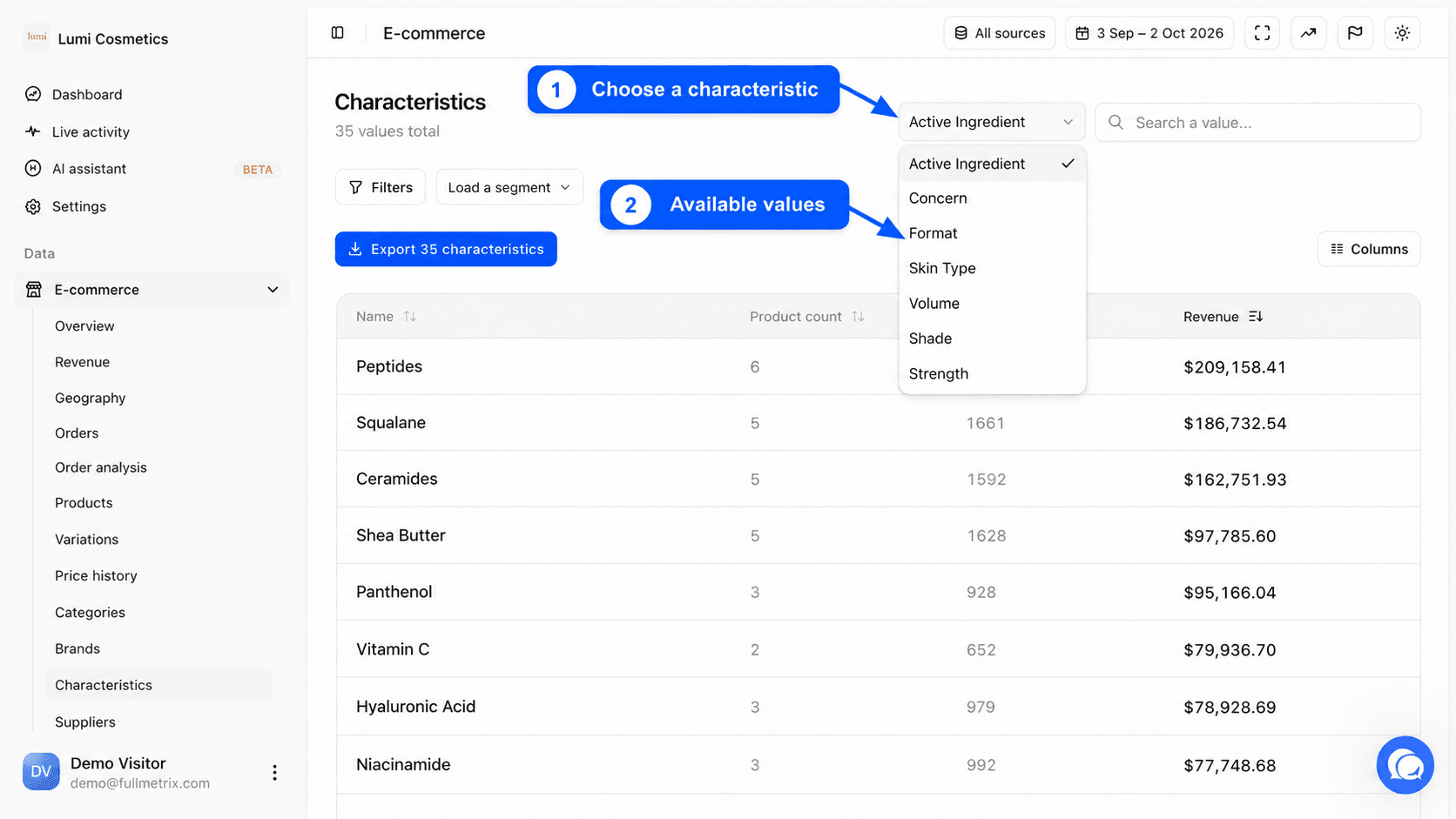
Choose the characteristic to analyse
To the right of the title, the Characteristic dropdown lists every characteristic known in your stores. They are ordered from the one used by the most products to the one used by the fewest. When the page opens, the first one is selected automatically.
Pick another one to reload the table. Under the title, a line gives the number of values of the selected characteristic, for example "14 values total".
What this report answers
- Which color sells best, across all sizes and models?
- Which material brings in the most revenue for our jackets?
- Which size is the most in demand, to adjust the quantities we order?
- Is a material widely present in the catalog but rarely bought?
Read the table
| Column | What it shows |
|---|---|
| Name | The value of the characteristic, for example Blue. |
| Product count | The number of records (products and variations) with this value. |
| Quantity sold | Units sold over the period for the records with this value. |
| Revenue | The sum of the order line amounts for these records over the period. |
You can add Order count, which counts the orders containing at least one record with this value, and Characteristic name.
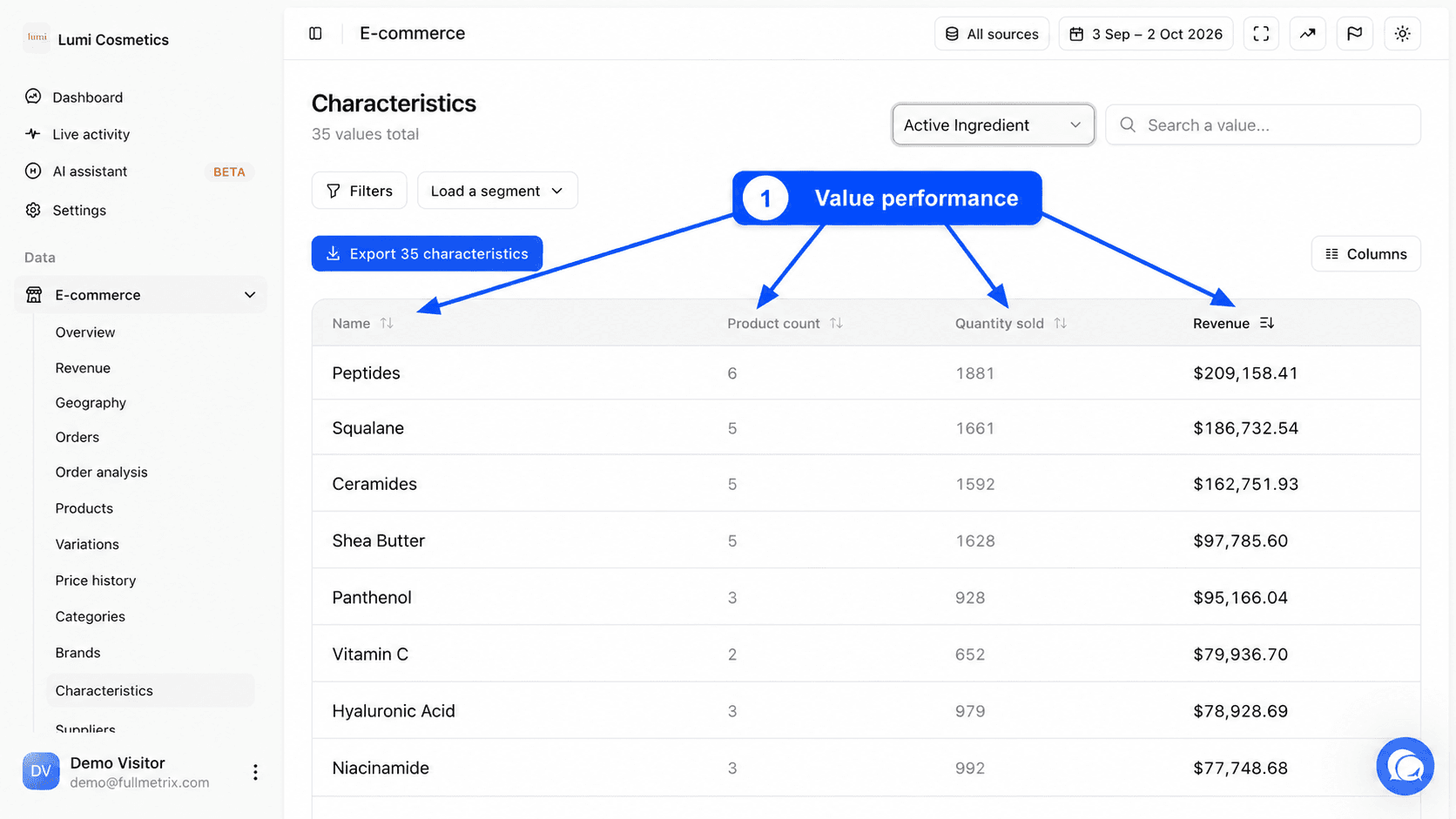
A product with several values for the same characteristic, for example a fabric that is "Blue" and "White", counts in each. The sum of the rows can therefore exceed your total revenue.
The orders included follow your Settings, Reports tab, and the amount of a line follows the rules described in Products.
Sort, search and filter
Click a header to sort by Name, Product count, Order count, Quantity sold or Revenue. By default, the values with the most revenue are at the top.
The Search a value... field filters the values of the selected characteristic. The filter bar accepts conditions on the characteristic name, the value, the product count, the order count, the quantity sold and the revenue. See Filters and segments.
Columns and export
The Columns button offers Default, All fields and Customize. You can add E-commerce source, Characteristic name and Order count. See Columns.
The Export button, for example "Export 14 characteristics", downloads the values of the selected characteristic. See Exports.
The value detail page
Click a row to open the detail page of that value. The Characteristics breadcrumb takes you back to the list.
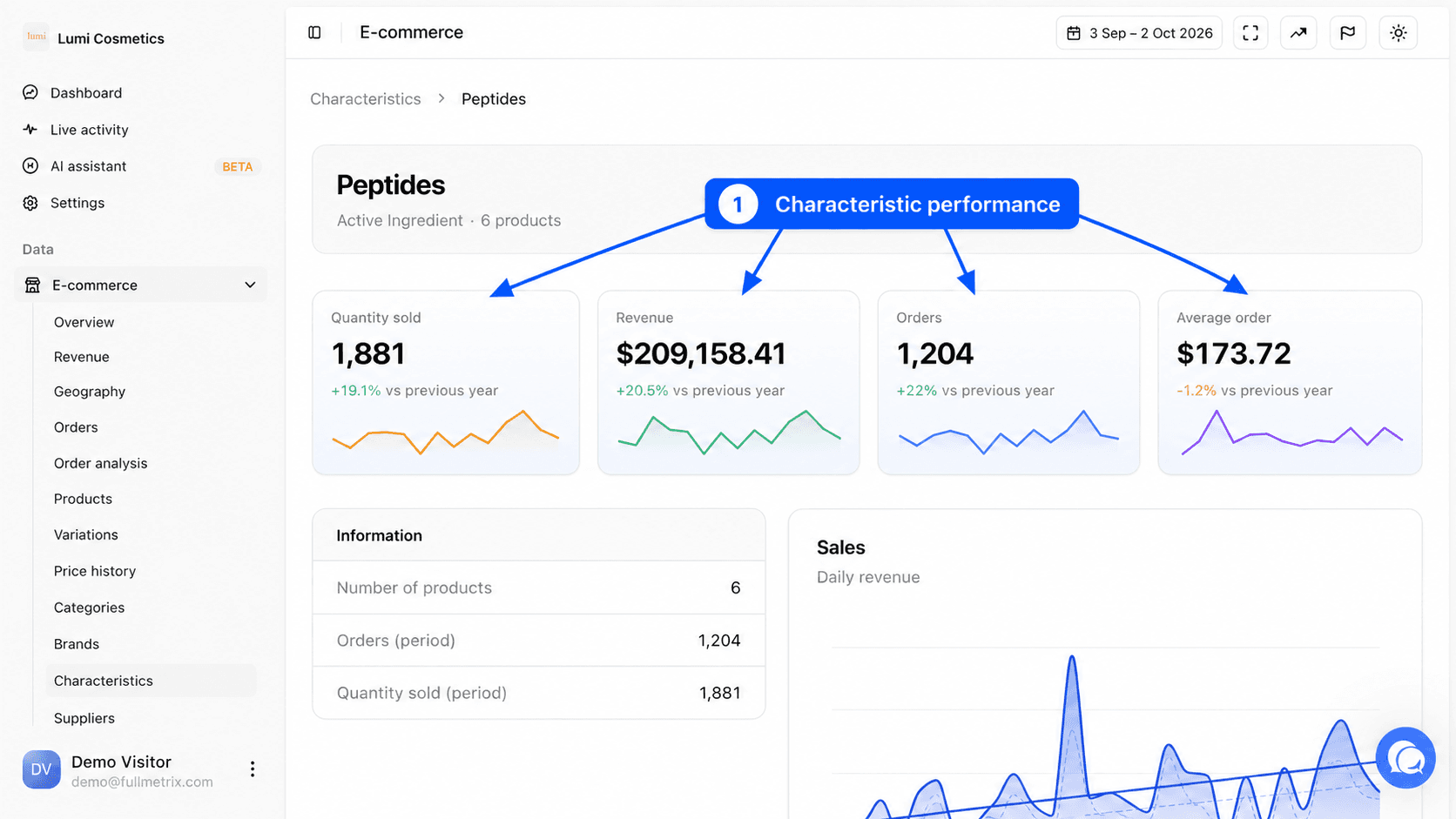
| Metric | Definition |
|---|---|
| Quantity sold | Units sold over the period for the records with this value. |
| Revenue | The amount of these records' lines over the period. |
| Orders | The number of orders containing at least one of them. |
| Average order | The revenue of the value divided by that number of orders. |
Each metric shows its change compared to the comparison period set in the date picker.
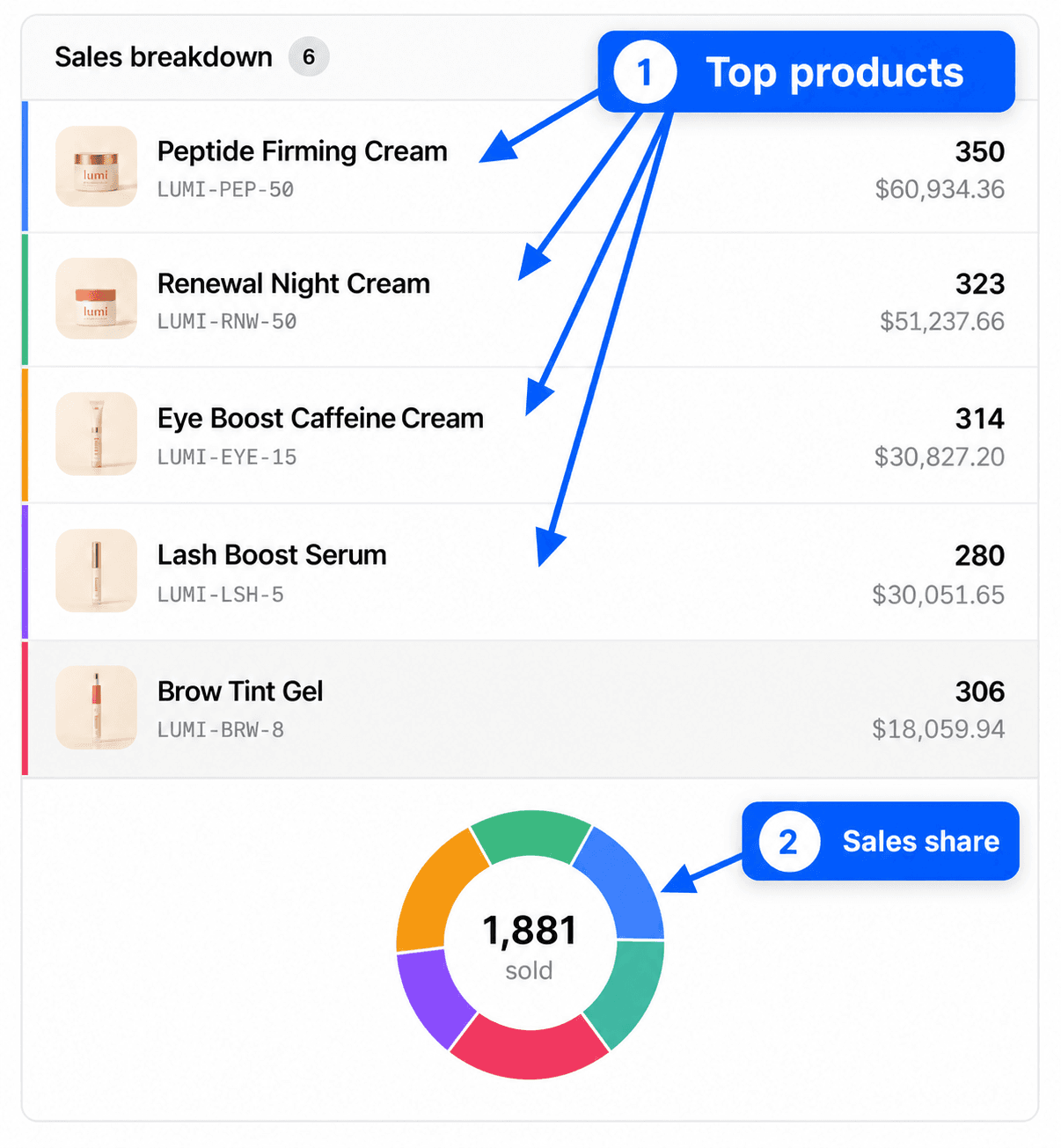
The page then has the Information block (number of products, orders and quantity sold over the period), Sales, Sales by hour, Sales by day, Sales breakdown (the 20 products with the most revenue for this value), Sales by country, Sales by customer and N orders for this value. Each block can be exported as CSV.
Differences by platform
Characteristic names and values are the ones from your store, with no translation or grouping. On PrestaShop, you get both the product features and the attributes of combinations. On Shopify, you get the variant options (for example Size and Color). On other platforms, you get the attributes your store links to products and variations.
If two stores name the same characteristic differently, for example "Color" and "Colour", they form two entries in the dropdown.
If the page is empty
No value found appears when the search or the filters leave nothing. The message "Characteristics will appear here once data is synced" means the import is not finished yet. Value not found on a detail page means no product carries this value anymore.