Bought together
Find out which pairs of products your customers most often buy in the same order, to build bundles and recommendations.
The Bought together report lists the pairs of products found in the same order, from the most frequent pair to the least frequent. If your customers often buy a pair of hiking shoes with the socks from the same range, that pair shows at the top with the number of orders that contain both.
Open the report
In the sidebar, open E-commerce in the Data group, then click Bought together. The entry is always visible once a store is connected.
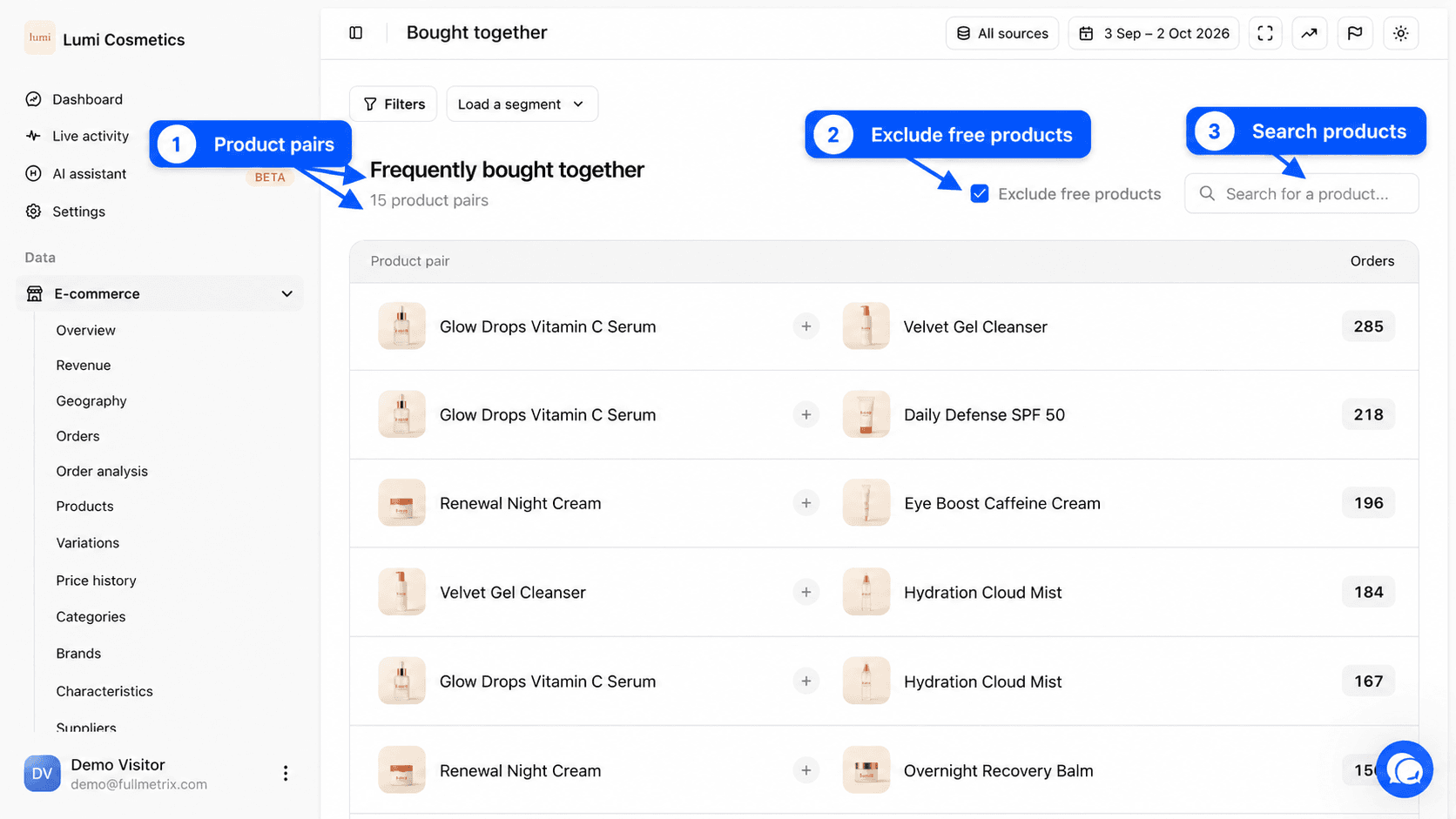
On the page, the title reads Frequently bought together, followed by the number of pairs found, for example "2,314 product pairs". At the top right you find All sources and the date picker.
What this report answers
- Which products should we sell as a bundle or a gift set?
- Which product should we recommend on another product page, or in the cart?
- Which accessory most often goes with our best seller?
- Do customers who buy this product buy anything else with it?
Read the table
| Column | What it shows |
|---|---|
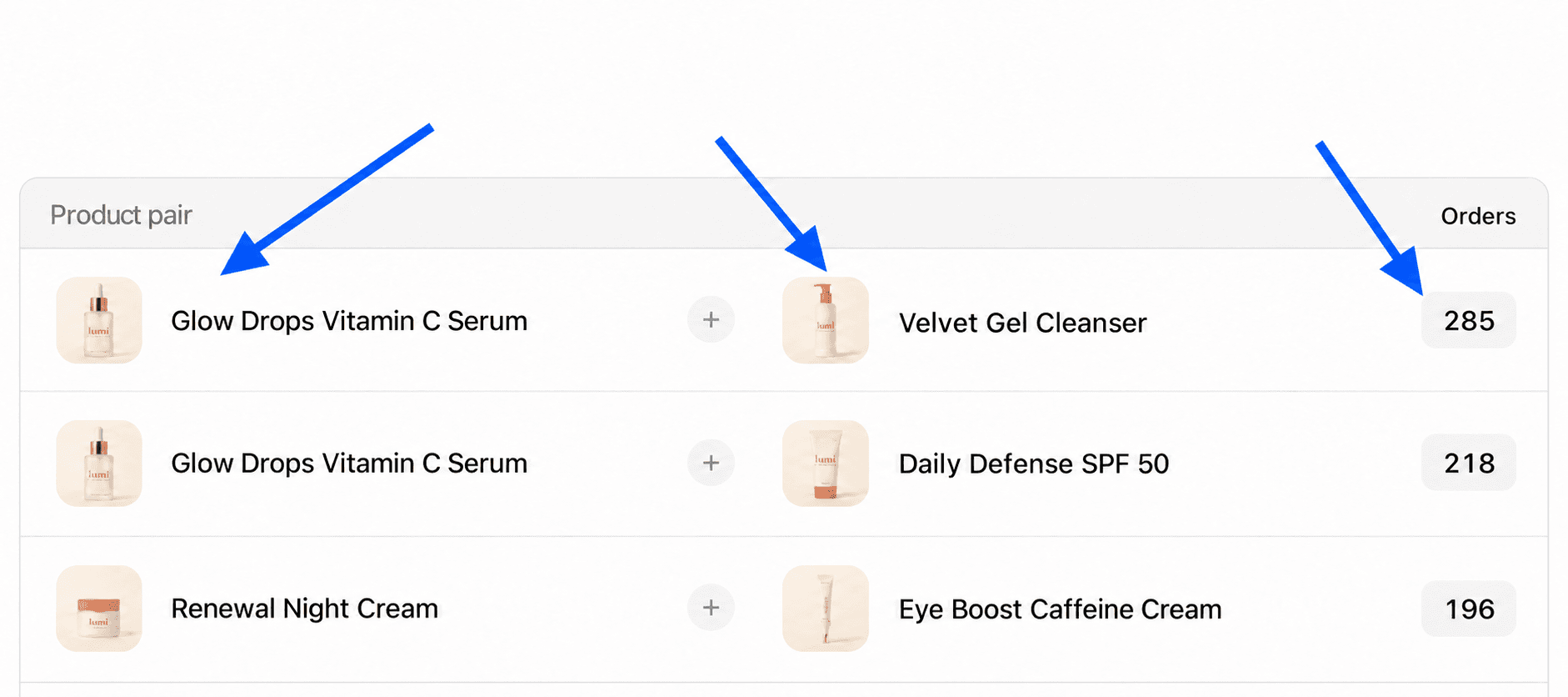
| Product pair | The two products of the pair, with their picture and name. Click a product to open its detail page. |
| Orders | The number of orders in the period that contain both products. |
A pair only appears once, whatever the order of the products. An order with four different products forms six pairs, and each of them gets one order.
Below the table, the Total row adds up the orders of the pairs shown on the page. Since one order can contain several pairs, this total is not a count of distinct orders.
Only orders that count in your reports are analysed, according to your Settings, Reports tab.
Sort and search
Click the Orders header to switch between the most frequent pairs and the least frequent ones.
The Search for a product... field keeps only the pairs where one of the two products matches. Type the name of your best seller to see everything bought with it.
Exclude free products
The Exclude free products checkbox is checked by default. It ignores order lines at 0, so that the free sample or the gift slipped into every parcel does not form a pair with all your products. Uncheck it to see those associations too.
Filter the orders analysed
The filter bar works on orders. For example, you can look only at orders from one country (Billing country), orders that used a Coupon code, or orders above a certain amount. See Filters and segments.
Differences by platform
| Platform | What forms a pair | Display threshold |
|---|---|---|
| Shopify | parent products. Variants of the same product are grouped. | one order is enough |
| PrestaShop, WooCommerce, Magento, Sylius | each item as it appears in the order, variation included | the pair must appear in at least two orders |
On platforms where variations stay separate, two sizes of the same product can form a pair. It usually means customers order two sizes to return one, or buy for several people.
If the page is empty
No pairs found appears when no pair matches. Over a short period or for a small store, there are often few orders with several products. Widen the period. The message "Pairs will appear here once data is synced" means the import is not finished yet.