Customer analysis
Compare the customers active in a period by first product ordered, customer group, account type and country, and find the ones worth the most.
The Customer analysis report takes the customers who ordered during the chosen period and sorts them into groups. For each group, it shows how many customers it holds, how much they ordered and what they are worth over their whole history. It answers questions like "which entry product brings the most loyal customers" or "do my Belgian customers spend more than my French ones".
Open the report
In the sidebar, open Data, then E-commerce, then click Customer analysis. A sentence at the top of the page recalls the rule of the report. Amounts are period-based, except LTV.
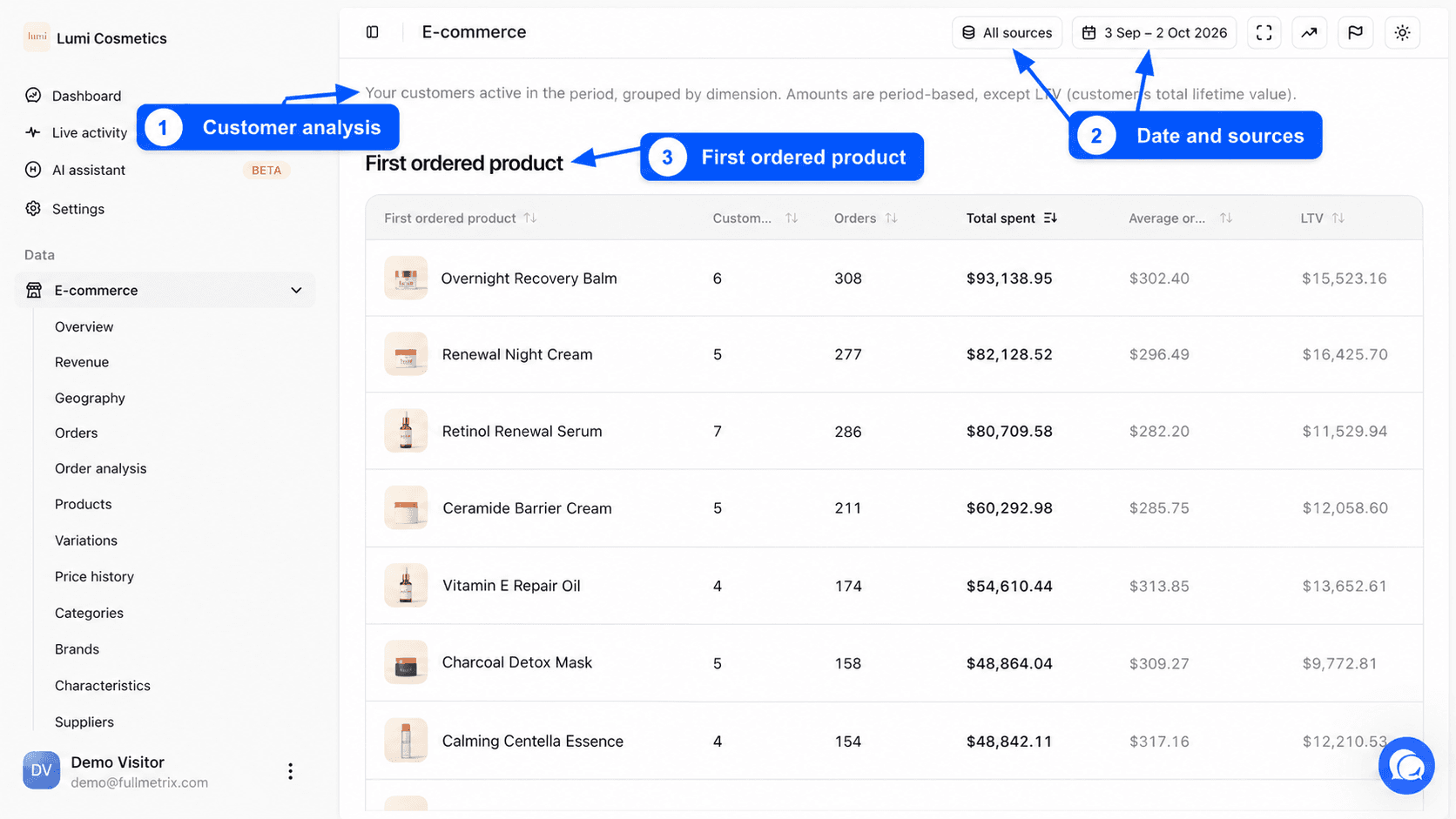
Choose the period and the stores
At the top right, the date range picker sets the window you study. By default, it covers the last 30 days up to yesterday. The period is shared with the other e-commerce reports, so if you change it here it stays the same on Revenue or Orders. The presets are covered in Date range and comparison.
Next to it, the All sources selector limits the analysis to some stores. See Choose the stores you see.
Who is counted
A customer enters the report if they placed at least one counted order during the period. Fullmetrix recognizes them by email address, as in the Customers report. Orders without an email address are left out here, because they cannot be tied to a person.
Excluded statuses, ignored customers and net sales deductions set in Settings, Reports tab apply. See Report settings.
The columns, shared by every table
Every table has the same six columns. Only the first one changes, it names the group.
| Column | Definition |
|---|---|
| Customers | The number of customers active in the period who fall into this group. |
| Orders | The number of counted orders these customers placed during the period. |
| Total spent | The sum of those orders during the period, as net sales. Taxes, shipping and fees are removed if the matching deductions are on. Refunds are not removed in this report. |
| Average order value | Total spent divided by the number of Orders. |
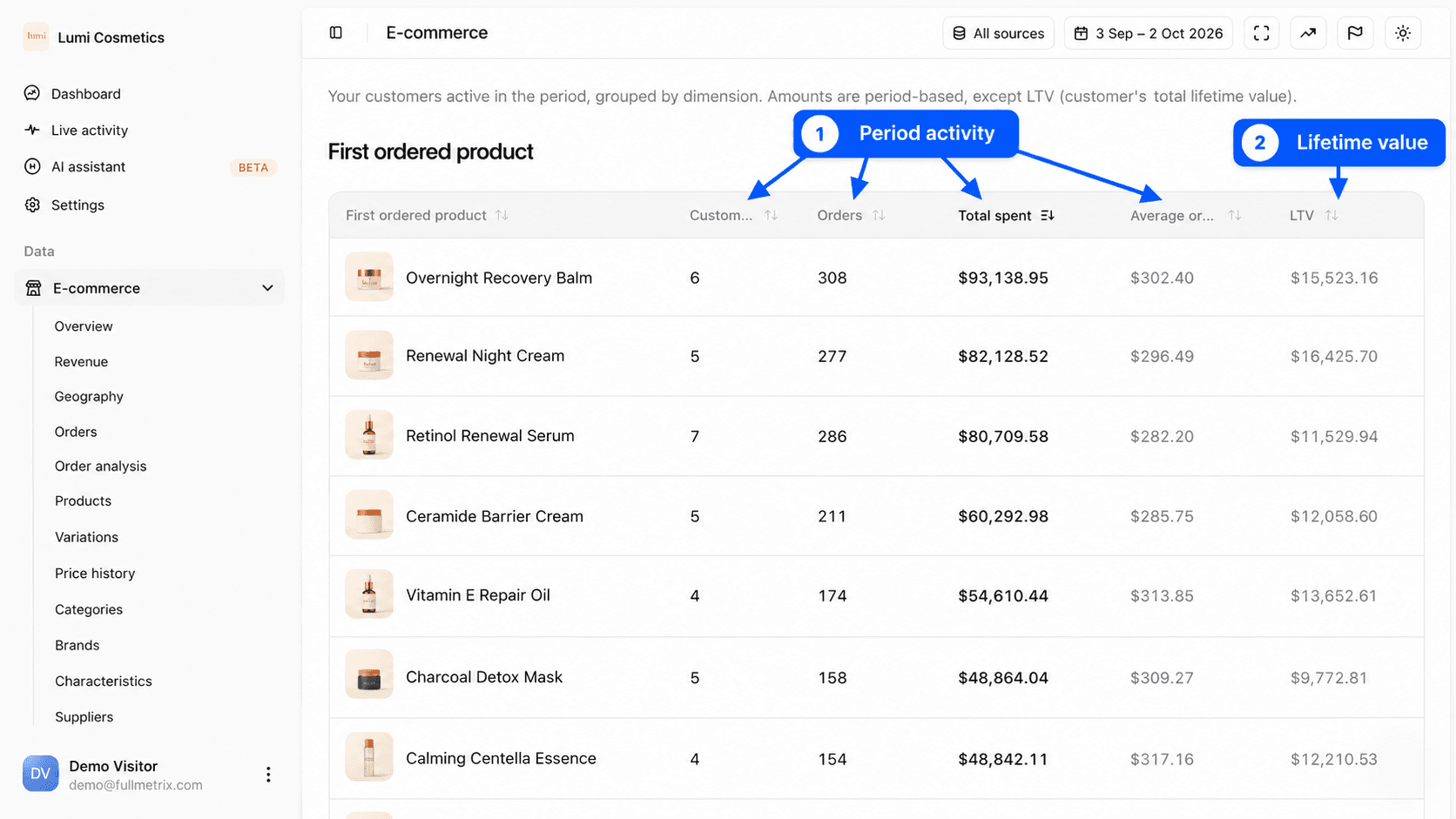
| LTV | The group's average customer lifetime value. For each customer, Fullmetrix adds up every counted order since their first one, with no date limit, then averages it over the customers in the group. |
The Total row at the bottom adds up customers, orders and total spent. Its average order value is total spent divided by total orders. Its LTV is the average of all LTVs, each group weighted by its number of customers.
Each table is sorted by Total spent, highest first. Click a column header to sort differently, a second click reverses the order.
Compare Total spent and LTV
Total spent only looks at the period. LTV looks at the customer's whole history. A group with a small total spent but a high LTV gathers loyal customers who bought little this month. A group whose LTV is close to its average order value gathers mostly one-time buyers.
The grouping tables
First ordered product
This table groups each customer by the product that brought them to you. Fullmetrix takes their first order, even if it is older than the period, and keeps the line of that order with the highest amount. The table shows the product's image and name.
It is the most useful table to judge your entry products. A product that brings few customers but a high LTV often deserves more visibility, in your ads for example.
Customer group
This table groups customers by the customer group or role set in your store, such as "Professional" or "Reseller". Customers without a group are gathered under No group. The table only appears if at least one active customer has a group in your store.
Customer type
This table separates two kinds of customers. Registered gathers customers with at least one order placed with a customer account on your store. Guest gathers those who always ordered without creating an account.
Billing country and Shipping country
These two tables group customers by the country of the billing address, then the shipping address, of their first order. A customer who has moved since stays in the country of their first order. Customers with no known country are gathered under Unknown.
Example questions
- Which entry product brings the customers who reorder the most? Sort First ordered product by LTV.
- Are my business customers worth more than my retail customers? Read the Customer group table.
- Should I push account creation at checkout? Compare the LTV of Registered and Guest customers.
- In which countries do my customers spend the most per order? Sort Shipping country by Average order value.