Profile
Change the name and photo your teammates see in Fullmetrix.
Your profile is what your teammates see of you in Fullmetrix, your name and your photo. It follows you across every company and organization you can access.
To open it, click your name at the bottom of the sidebar, then Account. The Account page has two parts, Profile at the top and Security below. The security part is described in Security.
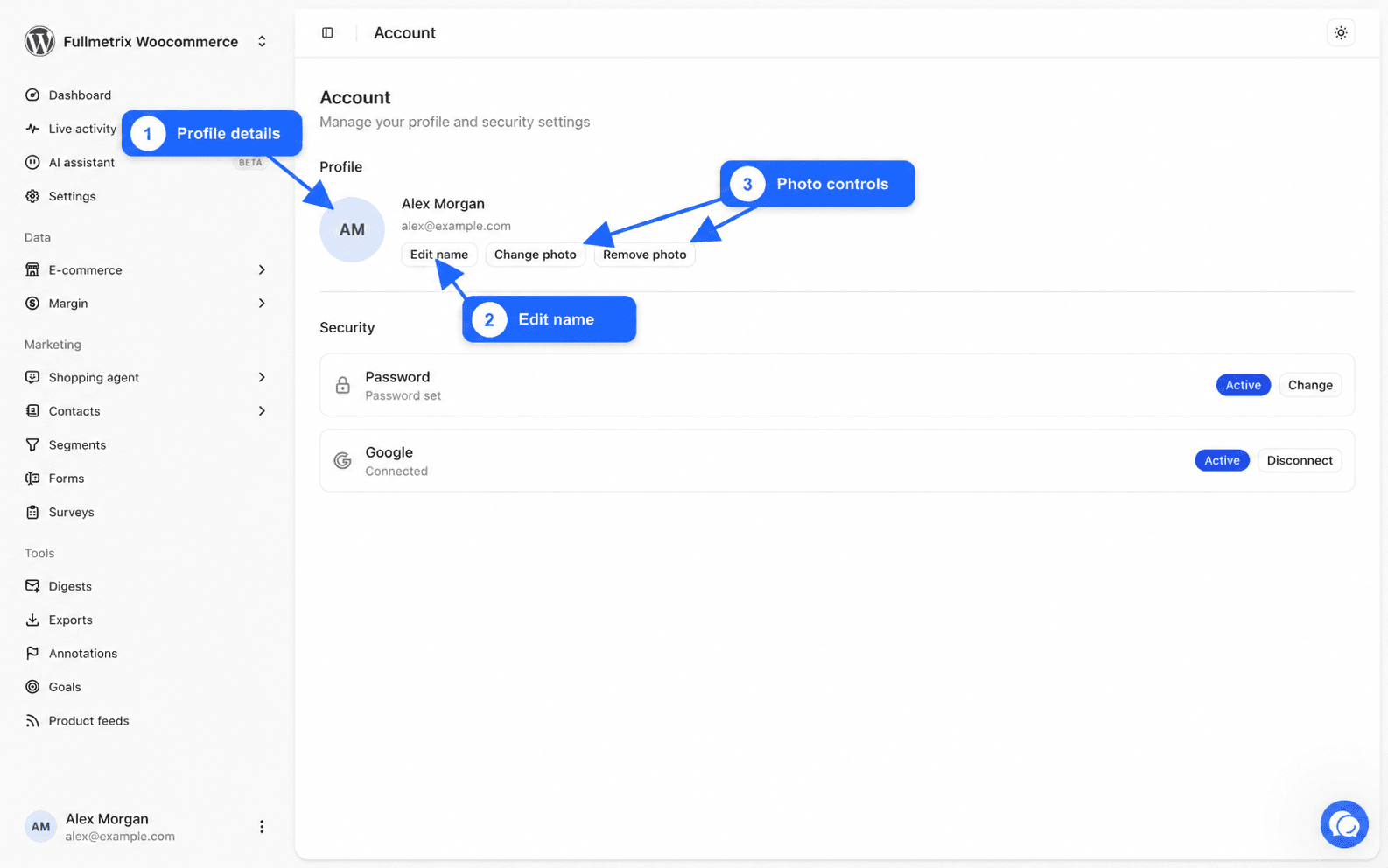
The Profile part shows your photo, your name and your email address. The email address identifies your account. It cannot be changed from this page.
Change your name
Open the editor
Click Edit name. The Edit name window opens.
Type the new name
In Name, type the name your teammates should recognize, for example your first and last name. The field cannot be left empty, otherwise the message Name is required appears.
Save
Click Save. The message Name updated confirms the change. Your new name shows at the bottom of the sidebar and in the team list.
Add or change your photo
Click Change photo and pick an image on your computer. PNG, JPEG and WebP are accepted, up to 5 MB.
We keep the central square of the image and shrink it to profile photo size. Put your face in the center. The message Photo updated confirms the upload.
To remove your photo, click Remove photo. The message Photo removed appears and your initials replace the photo.
Two messages can block the upload. Image too large (max 5 MB) means the file is too heavy, make it smaller. Invalid image type means the format is not accepted, for example a HEIC image taken with an iPhone. Convert it to JPEG and try again.