Set up profit tracking
Add purchase prices, verify cost coverage, and interpret gross and net margin in Fullmetrix.
Revenue alone does not show whether sales are profitable. Fullmetrix combines revenue excluding tax, product purchase prices, and connected advertising spend to calculate gross and net margin.
Before you start
Complete the store import first. Prepare purchase prices for each sellable SKU, including variants, and confirm whether your source file contains prices including or excluding tax.
1. Open Product costs
Expand Margin in the sidebar and choose Product costs.
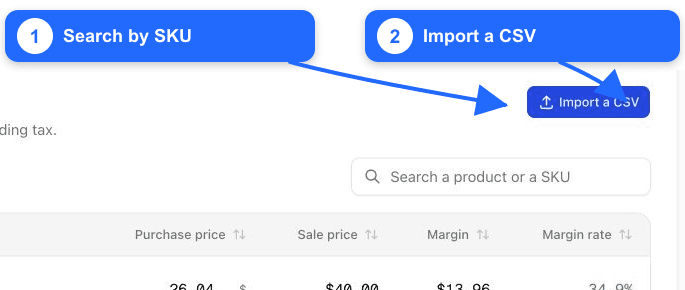
The coverage line shows how many imported items have a purchase price. Products without a price cannot contribute an exact product-cost margin.
2. Enter costs manually
Search by product name or SKU, then enter the purchase price in the row for each item or variant. The page displays prices including tax, as stated above the table.
Use the cost of acquiring or producing one sellable unit. Do not enter the retail price, total inventory value, or a percentage margin.
After a price is saved, Fullmetrix calculates the row’s margin and margin rate from its sale price.
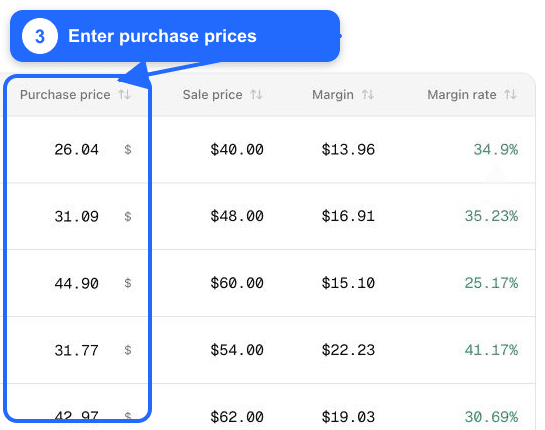
3. Import costs from CSV
For a larger catalog, click Import a CSV.
- Download the template when you need the exact SKU list.
- Upload a CSV of no more than 8 MB.
- Map one column to SKU and one to Purchase price; skip unrelated columns.
- Indicate whether the imported prices include or exclude tax and provide the VAT rate when conversion is required.
- Review unknown SKUs and invalid prices before accepting the result.
SKU matching is exact
Normalise whitespace and keep SKUs unique. An unknown SKU is not applied silently to another product. Re-export the template after major catalog changes.
4. Verify coverage
Return to Product costs and confirm the priced-item count. Search for important products and variants and spot-check their purchase price, sale price, margin, and margin rate.
Prioritise high-revenue items first if complete coverage cannot be reached immediately. Document what remains unpriced so users understand the limitation.
5. Read the Margin overview
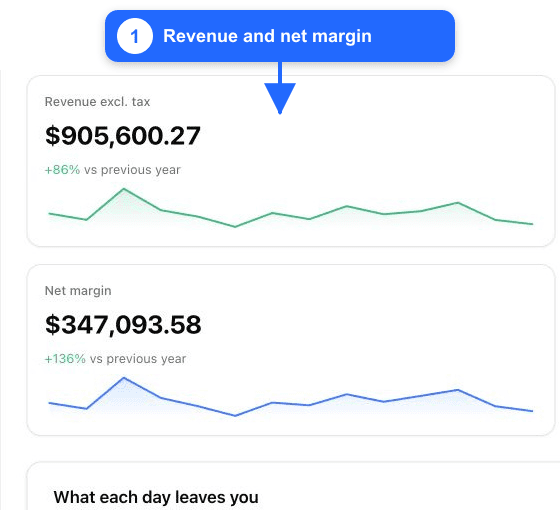
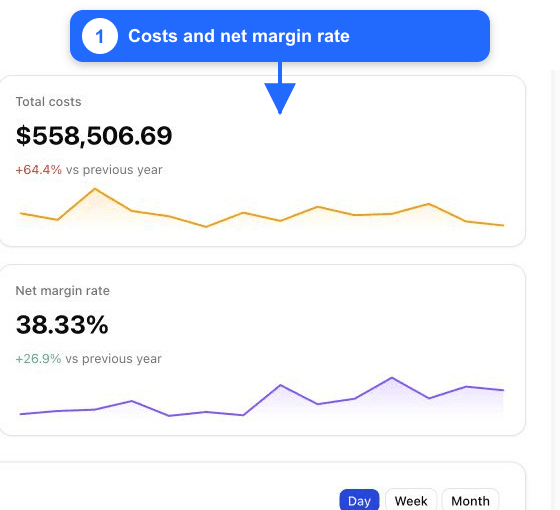
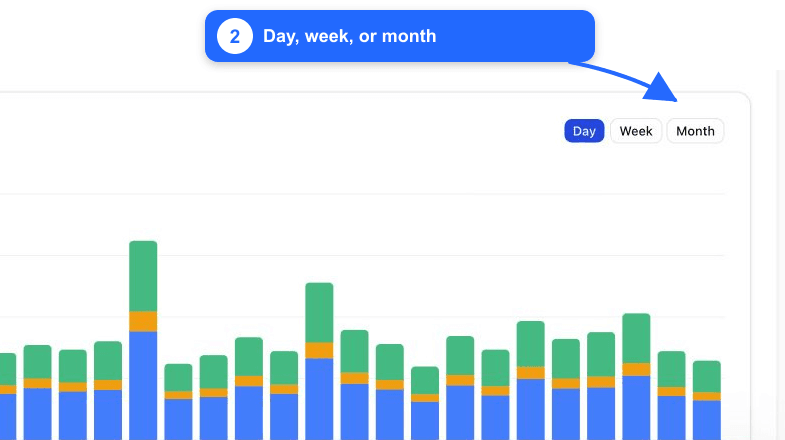
Open Margin > Overview, select the reporting period, and choose Day, Week, or Month for the chart.
| Metric | Calculation |
|---|---|
| Revenue excl. tax | Selected commerce revenue without tax |
| Total costs | Product costs excluding tax + connected advertising spend |
| Gross margin | Revenue excluding tax − product costs excluding tax |
| Net margin | Revenue excluding tax − product costs excluding tax − advertising spend |
| Net margin rate | Net margin ÷ revenue excluding tax |
The Where your money goes section separates product cost, advertising, and remaining net margin. How far down we can go distinguishes exact per-product gross margin from channel-level advertising cost: Fullmetrix does not pretend that channel spend is attributable to an individual product when the data cannot support it.
Keep margin trustworthy
- Update purchase prices when supplier or production costs change.
- Maintain one price per sellable SKU or variant.
- Check that advertising integrations cover the intended accounts and currency.
- Record periods with incomplete cost coverage.
- Investigate negative margin instead of hiding it with an average.
What is not included automatically
The current calculation uses product cost and connected advertising spend. Treat shipping operations, payment fees, payroll, warehousing, returns handling, and other overhead separately unless your organization has explicitly incorporated them elsewhere.
You now have a usable starting workspace. Return to Getting started or explore the detailed e-commerce reports.